
Discussion and environment review
We meet with management and HR and clarify the goals. We review the Microsoft 365 tenant: licences, Teams teams, SharePoint sites and groups. We provide a quote with specific apps and what they change.
We turn on and configure Microsoft Viva apps in your Microsoft 365 tenant: an employee portal in Teams, communities, learning, surveys and internal communications. We tell you what your licence already includes and what needs Viva Suite.
Built for ISO 27001NIS2 DORA
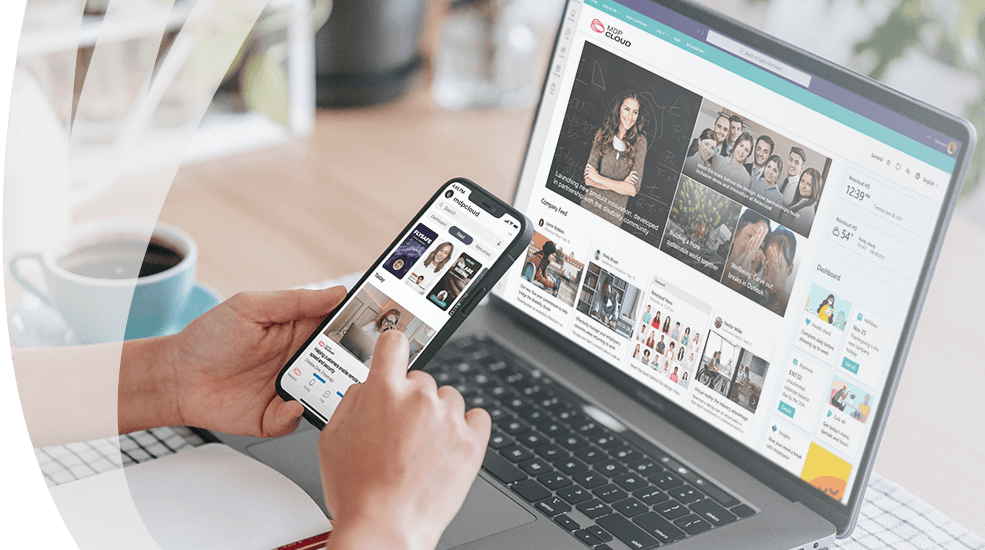
In most companies, Microsoft 365 is used for three things: email, Teams calls and files. Meanwhile internal news travels in emails that nobody reads to the end, training material sits in a shared folder, and managers learn how employees feel only at the annual review or on their last day. Production or retail staff without a permanent computer often drop out of company life altogether: they do not see the news, do not get training, and answer surveys on paper.
Microsoft Viva is a suite of apps that puts these functions into the same Teams that employees already open every day. We assess what your company actually needs and deploy only those apps: the Viva Connections portal with news and links to your systems, Viva Engage communities, the Viva Learning training corner, Viva Glint or Viva Pulse surveys, Viva Amplify communication campaigns for leadership, and Viva Insights analytics on work habits. Nothing extra has to be installed. Everything runs in your Microsoft 365 tenant, with the same Entra ID accounts, the same security policies and on the same phone where the employee already has Teams. Some features are already part of your Microsoft 365 plan and some require a Viva Suite licence, and before we start we tell you exactly which is which.
We configure each app around your structure instead of leaving the default settings.
We find out which communication, training and feedback problems weigh most and pick the apps that solve them. We do not propose the whole suite when two apps are enough.
We build an employee portal in Teams: news, announcements, links to accounting, HR and document systems, and different content for the office, the warehouse and production.
We set up communities by department and topic, a questions and answers section, and a leadership announcements channel. We define who can create communities and who can only participate.
We turn on a learning corner in Teams: your own material from SharePoint, Microsoft Learn and LinkedIn Learning content, mandatory courses for new hires and completion tracking.
We prepare an annual engagement survey with Viva Glint or short team surveys with Viva Pulse. Responses are anonymous, and managers see results by department.
We give leadership and HR a single place for campaigns: a message is written once, published in Teams, Engage and email, and reach is visible in a report.
We turn on personal insights for every employee: focus time, meeting load, emails after working hours. Manager and organisation-level analytics depend on the licence and our agreement.
We determine whether your Microsoft 365 plan is enough or Viva Suite is needed, assign licences and train administrators and content creators.
What you get with your current Microsoft 365 plan and what needs a Viva Suite licence.
| Included in Microsoft 365 | Viva Suite | Who it suits | |
|---|---|---|---|
Viva Connections | portal in Teams, news, links | extra dashboard cards and analytics | all companies, especially those with staff who have no permanent computer |
Viva Engage | communities, questions and answers | leadership campaigns, advanced analytics | companies with a few dozen employees or more across several departments |
Viva Insights | personal insights in Teams and Outlook | manager and organisation-level analytics | office teams with many meetings |
Viva Learning | Microsoft Learn, free LinkedIn Learning content, SharePoint material | learning system integrations, assignment of mandatory courses | companies with mandatory training and employee onboarding |
Viva Glint and Viva Pulse | not included | engagement and team surveys | HR teams that measure employee sentiment |
Viva Amplify | not included | campaign creation and reach reports | leadership and internal communications |
Usually within 2-4 weeks, starting with a pilot group.
We meet with management and HR and clarify the goals. We review the Microsoft 365 tenant: licences, Teams teams, SharePoint sites and groups. We provide a quote with specific apps and what they change.
We build the portal, communities or learning section and open it to one department. We fill it with real news and material, collect feedback and adjust the structure and permissions.
We turn it on for the whole company, introduce it to employees and train content creators and administrators. We launch the first survey or campaign together so the team sees how it works.
We follow Microsoft changes in the Viva apps, manage permissions and licences, and help add new communities or courses. By agreement this is included in the Microsoft 365 administration service.
Permissions, groups, licences and security policies, everything Viva depends on, we maintain as an ongoing Microsoft 365 administration service.
No. Viva Connections, Viva Engage communities, personal Viva Insights and basic Viva Learning are included in Microsoft 365 business plans. Viva Suite is needed for surveys (Glint, Pulse), Amplify campaigns and manager-level analytics. We often start with what you already have and buy the Suite only when it is truly needed.
Microsoft retired these two apps: Viva Topics in February 2025 and Viva Goals at the end of 2025. We no longer offer them. Knowledge search now uses Microsoft 365 Copilot and SharePoint, and goal tracking uses Planner or other tools.
Personal insights are visible only to the employee, and managers do not open them. Manager and organisation-level reports show only aggregated data for groups above a set minimum size. Before turning them on, we agree the settings with HR and, if needed, with employee representatives.
Viva Connections is based on a SharePoint home site, but you do not need to have one beforehand. If there is no intranet, we create a simple home site with news and links, which is enough for a portal in Teams.
Viva Connections with news and links takes about a week. Viva Engage communities and Viva Learning take another week each. For surveys, the time depends on agreeing the questionnaire with HR. We usually launch the whole suite within 2-4 weeks.
We migrate mail, calendars, contacts and files to Microsoft 365 from Google Workspace, on-premises Exchange, IMAP hosting or another Microsoft 365…
Most incidents in companies start with a forged email or a stolen password.
We manage your company's identities in Microsoft Entra ID: single sign-on to Microsoft 365 and other systems, MFA for everyone, conditional access…
This service is delivered by specialists with valid international certifications. Their expertise is confirmed by independent organisations, not by us.
Cloud security is managed following ISO/IEC 27017 and 27018 practices.
We reply within 1 business day