
Questions and sources
In 1-2 meetings with the manager and the finance lead, we agree the metrics and their definitions, review the accounting system and other sources, and arrange access to the databases and APIs.
We combine accounting, sales and warehouse data from SAP Business One, Sage, NetSuite or Business Central into a single Power BI data model. On Monday morning the manager opens a report in Teams and sees yesterday's figures with no manual export to Excel.
Built for ISO 27001NIS2 DORA
A typical situation: in the first week of the month, an accountant exports sales and receivables from SAP Business One or Sage to Excel, the sales manager has their own spreadsheet, and the warehouse has a third. The numbers do not match because everyone calculates differently, and by the time a reconciled report reaches the manager, it is already a week or two out of date. The manager decides by gut feeling, even though all the data sits in the accounting system's database.
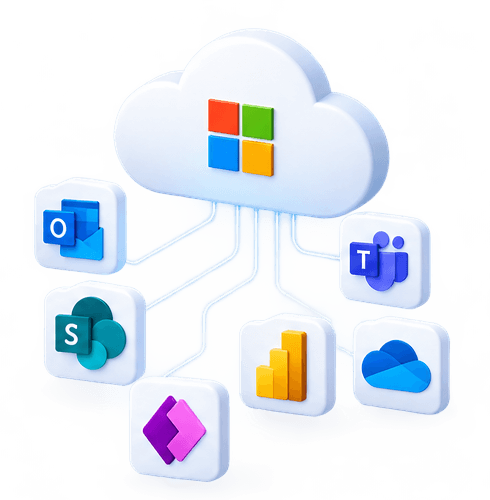
We build a Power BI data model that connects directly to your sources: the SAP Business One and Sage SQL databases, NetSuite and Business Central APIs, Excel files on a SharePoint site, a CRM or a production system. The data is organised into a star schema model in which metrics (sales, margin, receivables, inventory) are calculated in one place and the same way for everyone. Reports refresh on a schedule: for on-premises sources we install a data gateway, and row-level security ensures that a sales rep sees only their own customers. We publish reports in workspaces and Teams channels, and train your team to use them and create their own views. After deployment we maintain the model: when the chart of accounts changes or a new source appears, the reports do not stop working. We usually deliver the first working report from a single source within a few weeks, and what takes longest is not the charts but agreeing how margin or overdue debt is calculated.
From the data source to a report that is used every week.
We start with questions: which 10-15 metrics matter most to the manager and exactly how they are calculated. This takes longer than the charts, but without it the numbers will not match.
SAP Business One and Sage SQL databases, NetSuite and Business Central APIs, Excel on a SharePoint site, CRM, production or warehouse systems, with a gateway for on-premises servers.
A star schema with fact and dimension tables, a date table and DAX measures, documented so that another specialist can take it over.
A management dashboard, and sales, receivables, inventory and profitability reports with drill-down to a specific invoice or product.
Daily overnight or several times a day, with an alert to us if a refresh fails so that you see the correct figures in the morning.
Workspaces by department, row-level security by sales rep, site or group company, with access managed through Entra ID groups.
We choose Power BI Pro, Premium per user or Fabric capacity based on the number of creators and readers, and supply them through the MDP CLOUD CSP agreement.
We train creators and readers, maintain the model, and add new sources and metrics for an agreed number of hours per month.
What changes when you move from manual Excel reports, and when you need Premium or Fabric capacity.
| Excel reports | Power BI Pro | Power BI Premium / Fabric | |
|---|---|---|---|
Data refresh | manual export | scheduled, up to 8 times a day | scheduled, up to 48 times a day |
One calculation of metrics for everyone | |||
On-premises sources via gateway (SAP Business One, Sage SQL) | |||
Row-level security | |||
Reports in Teams and the mobile app | |||
Readers without a separate licence | from Fabric F64 capacity | ||
Large data models and more frequent refresh | |||
Copilot in Power BI | with Fabric capacity |
We usually deliver the first working report from a single source within 3-4 weeks.
In 1-2 meetings with the manager and the finance lead, we agree the metrics and their definitions, review the accounting system and other sources, and arrange access to the databases and APIs.
We build the model, connect the sources, install the gateway for on-premises servers and reconcile the metrics with the accounting system's reports to the cent. Only then do we move on to the visuals.
We build the management dashboard and department reports, set up row-level security, publish in a workspace and Teams channels, and spend two weeks collecting feedback and adjusting.
We train readers and one or two creators on your side and hand over the model documentation. After that we maintain the refreshes and extend the model for an agreed number of hours.
Yes. Both systems store their data in a SQL database that Power BI connects to directly through a gateway, with no exports. If your ERP runs in our ERP hosting environment, we configure the connection on our side.
NetSuite has a reporting API that we connect to on a schedule, while Business Central has a built-in Power BI connector and ready-made report tables. In both cases we put the data into the same model together with the other sources.
Creators and readers need Power BI Pro, unless reports are published on Fabric F64 or larger capacity, where readers need no licence. For most companies with up to a few dozen readers, Pro licences are enough, and for larger ones we calculate when capacity pays off.
Yes, this is common in company groups: several SAP Business One or Business Central databases are combined into one model with a shared company dimension, and row-level security determines who sees the whole group and who sees only their own company.
By agreement: a creator you have trained makes simple changes, while we maintain the refreshes, the gateway and the model and add new sources. If the accounting system moves to Microsoft Azure or our cloud, we change the connection.
We take over the day-to-day administration of your Microsoft 365 tenant: users and licences, Teams and SharePoint permissions, mail rules, Secure…
We select and supply Microsoft 365 licences as a Microsoft CSP partner: Business Basic, Standard, Premium and Enterprise plans and the Copilot add-on.
We turn on and configure Microsoft Viva apps in your Microsoft 365 tenant: an employee portal in Teams, communities, learning, surveys and…
We migrate mail, calendars, contacts and files to Microsoft 365 from Google Workspace, on-premises Exchange, IMAP hosting or another Microsoft 365…
This service is delivered by specialists with valid international certifications. Their expertise is confirmed by independent organisations, not by us.

Personal data is handled according to privacy by design and GDPR requirements.

Cloud security is managed following ISO/IEC 27017 and 27018 practices.
We reply within 1 business day